

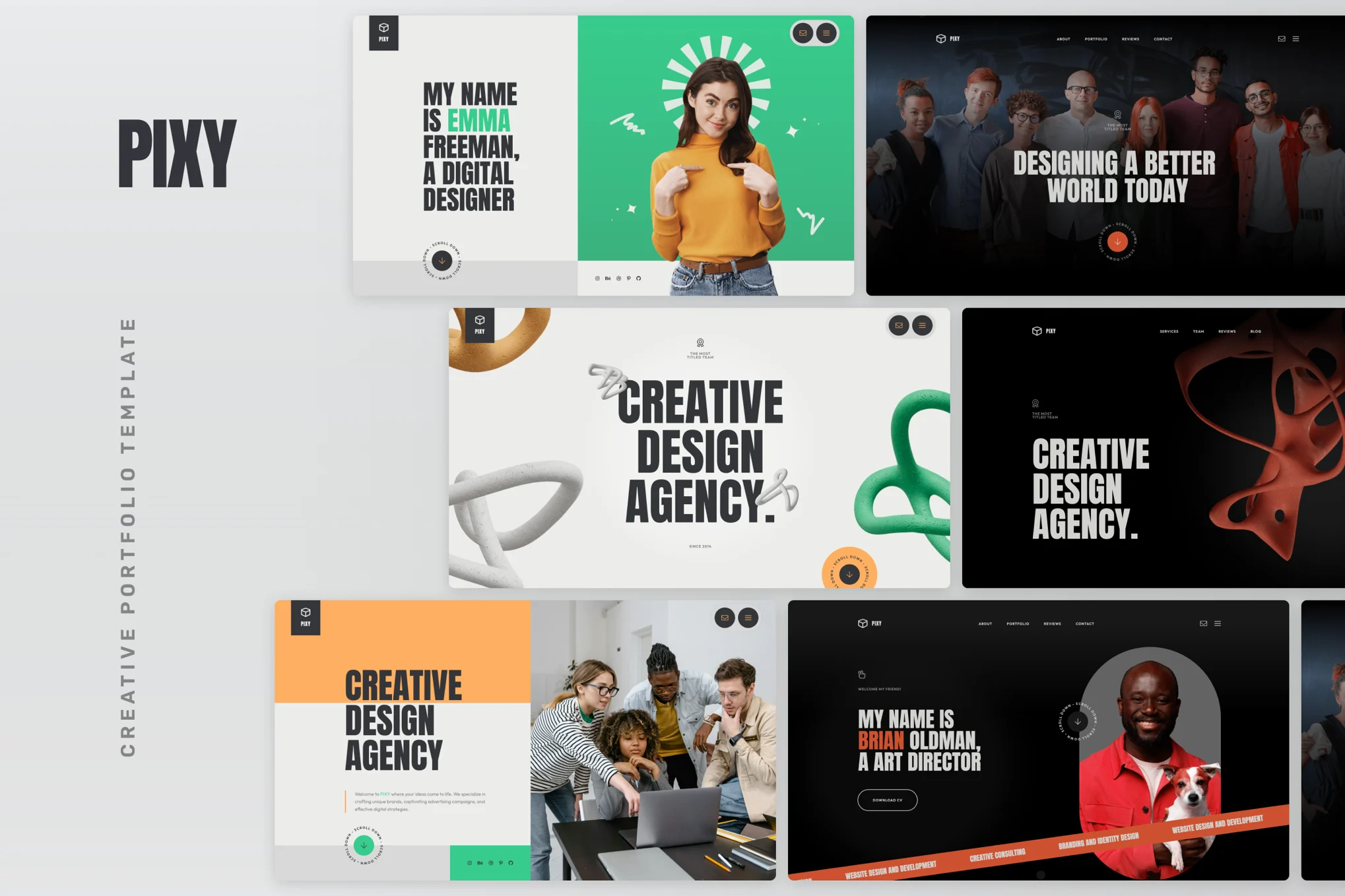

Pixy is a portfolio website template for creative agencies, design studios, and individuals working in fields that require visually engaging project presentations. The template focuses on showcasing capabilities, services, team members, and completed work through a modern, minimalist layout.
Who is Pixy suitable for?
This template is suitable for creative teams that want to build a professional showcase website while maintaining a clean, content-focused interface. Agencies, design studios, branding teams, photographers, designers, and freelancers can use Pixy as a foundation for presenting their portfolios.
Pixy is also suitable when you need separate pages for a studio and individual members. However, the source does not indicate whether the template includes a content management system, page builder, or CMS, so you should check the implementation requirements before purchasing and customizing it.
Available layouts and content
The template includes sections for introducing a creative brand or personal portfolio. The source lists the following sections:
- Pages and content sections for studios or individuals.
- A service introduction area.
- A section introducing team members.
- A contact page or section.
- A blog for publishing articles and content updates.
- A section for showcasing portfolios and creative projects.
Navigation is designed to focus on the user experience, combined with animations to create a smooth rhythm between sections. When using the template, you should prioritize high-quality project images and concise content to preserve its spacious presentation.
Sections to edit before use
Pixy is a user interface template, not a finished website populated with your business information. To put it into use, you need to replace the brand name, logo, introduction content, service information, project images, team members, and contact details.
If you use the blog, you need to prepare a suitable category structure, articles, and featured images. For the portfolio, projects should be organized by service group or type of work so visitors can follow them easily. Effects and animations should also be checked after replacing the content, especially when using images with sizes or aspect ratios different from the original template.
Customization and compatibility
The source provides the template in HTML, CSS, and SASS, along with a Sketch file. The code is described as well-structured and easy to customize, but its actual ease of use cannot be determined from the source. The template has a responsive design for multiple devices and supports Retina display.
The available information does not confirm a framework, CMS, page builder, specific browsers, or external integrations. Therefore, Pixy is more suitable for users who can edit code or have technical support. The product is described as having a commercial license; you should still review the license terms at the distribution source before using it for each project.
Considerations when choosing
Pixy is worth considering if you need a portfolio template focused on visuals, services, and projects. The template is best suited when the website's primary content is a portfolio and presentation of creative work. If you need booking, e-commerce, member login, or third-party service integrations, the source does not currently confirm these features.
Suited to
Share this template
Share links carry a source marker so MindWeb can attribute a consultation request to the right channel.
Modules MindWeb suggests
- Projects
- Consultation form
- Blog
- Team
- portfolio and projects
- services
- studio or individual introduction
- team members
- blog
- Contact
How MindWeb builds this template
This is a curated reference template, not a downloadable product. Once the scope is agreed and the deposit is paid, MindWeb buys the Envato license for your project, adapts it to your brand, builds the content and modules you need, then tests and launches the finished website.